Thermal Imaging Finder
Thermal camera setup tips for leak detection, moisture intrusion, and building diagnostics. Choose your brand, scenario, and use the recommended starting points as a guide in the field.
1. Camera & Brand
Brand selection adjusts tips for menus and typical feature sets.
Any similar-resolution camera will behave close to these examples.
This controls which help tips are most relevant.
2. Universal Thermal Basics
Thermal imagers see surface temperature differences, not "moisture" directly. Leaks and moisture show up because they change surface temperature (cooler from evaporation, warmer from hot water, etc.).
- Palette (Color Scheme) – Iron, Rainbow, Arctic, etc. For moisture work, simple high-contrast palettes (iron/gray) make patterns easier to read.
- Level / Span (Temperature Range) – Auto lets the camera pick; Manual lets you tighten the range so small deltas (1–3°F) pop.
- Emissivity – How well a surface emits IR. Drywall/wood/painted surfaces are usually around 0.93–0.96. Shiny metal is low and reflective.
- Reflected Apparent Temperature – Used to compensate for reflections from hot/cold objects in the room when accuracy matters.
Always compare suspect areas with a known-good reference nearby (same material, same conditions).
- Use IR as a pattern finder, then confirm with moisture meters, pressure tests, or invasive inspections.
- Beware of sunlight, HVAC, appliances, and electronics that can fake hot/cold spots.
- Take both thermal and visual images for documentation whenever possible.
3. Brand Profiles
Brand notes are here to set expectations and language. They are not endorsements and do not replace training.
One of the largest thermal brands, from phone attachments to high-end building and industrial cameras. Common in building diagnostics, restoration, and electrical work.
Popular in HVAC and building diagnostics with compact cameras and responsive auto-span. Often includes visible-light overlay and laser pointers to help orient images.
Frequently used for deeper diagnostics, research, and long-duration monitoring. Strong analysis and reporting tools for users who need trending and detailed reports.
Rugged cameras aimed at electricians, HVAC technicians, and industrial users. Simple menus and durable design make them a good fit for harsh environments and mechanical rooms.
Big player in HVAC and building performance testing. Works well alongside Testo's other gear for humidity, airflow, and pressure diagnostics.
4. Recommended Settings by Scenario
Use these as starting points. Adjust in the field based on actual temperatures, materials, and noise sources.
5. Infrared Video Training
Watch real-world thermal imaging techniques and applications in the field.
ThermoVision Analyzer
Upload a photo of your thermal camera. AI will identify the camera model and extract just the thermal screen image.
7. Example Images / Anomalies
Visual anchors for training. These show common thermal patterns encountered in leak detection work.
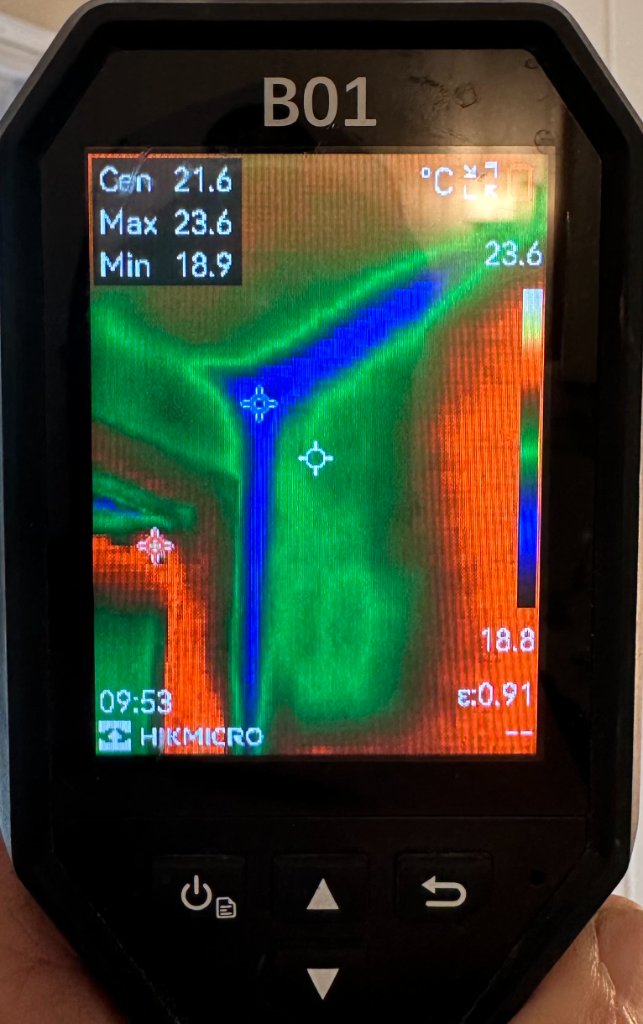
Example of a cooler, diffused moisture pattern on a ceiling or wall after wind-driven rain. Note the soft edges and irregular shape compared to framing or straight lines.
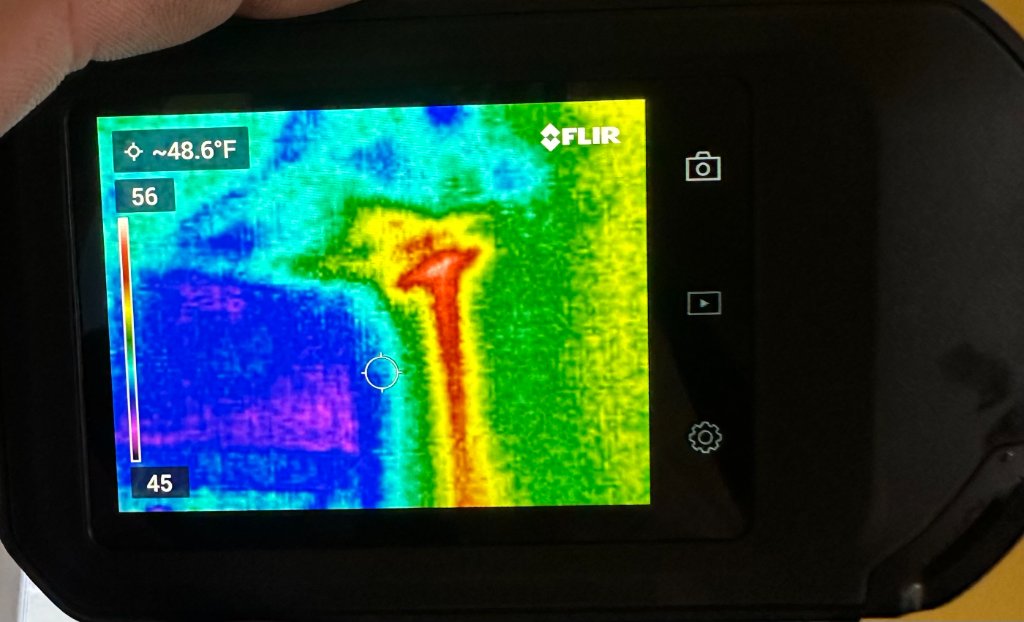
Hot water used during a controlled saturation test to highlight suspect paths. Warmer channels indicate active flow paths before full surface equalizes in temperature.
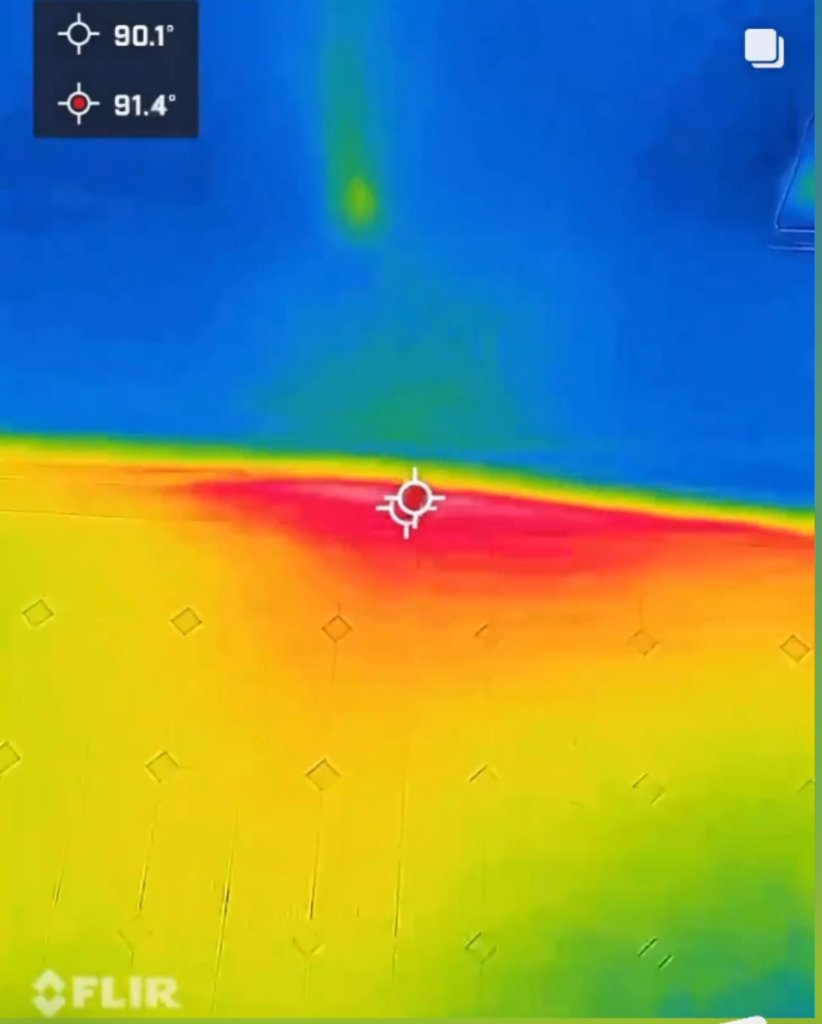
Localized hot spot and trench-like streak radiating away from a suspected leak point under the slab. This often mimics the appearance of an active radiant heat loop.
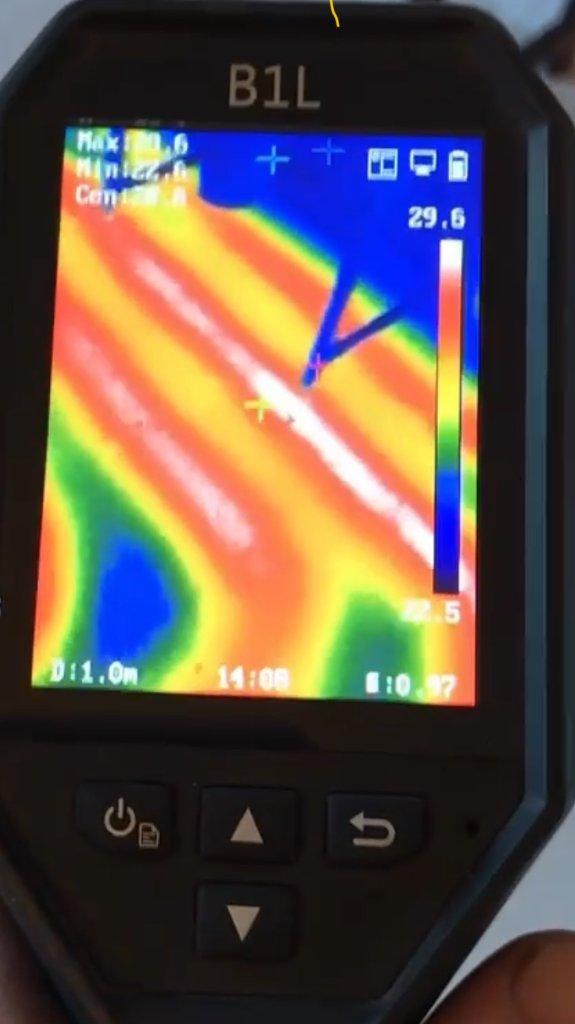
Radiant floor lines visible shortly after turning the system on. There is a key window—about 20–30 minutes after activation—where individual runs are clearly visible before the entire floor becomes evenly warm. Hot water slab leaks can show a very similar pattern.
8. How to Read Your Thermal Image
Basic Cameras / Auto Mode
- Use Auto to get oriented, then switch to Manual span once you find a suspect area so images stay comparable.
- Don't chase colors alone—focus on patterns and symmetry (left vs right, above vs below, inside vs outside).
- Always capture both thermal and visual images for documentation.
Common mistakes: reading reflections on metal/glass as hot/cold spots, scanning in direct sun, or assuming any cool area is a leak without moisture confirmation.